No internet connection today? Here's why that's fine.
No jargon — just what the software actually does when the connection drops, because for most of this market it will.
01
It runs on your own computer
SchoolPro is a real desktop application, installed on a computer in your office. Your student records, fees, and everything else live in an encrypted database on that machine — not in a data center somewhere you can't reach.
02
Every device in the building, one shared database
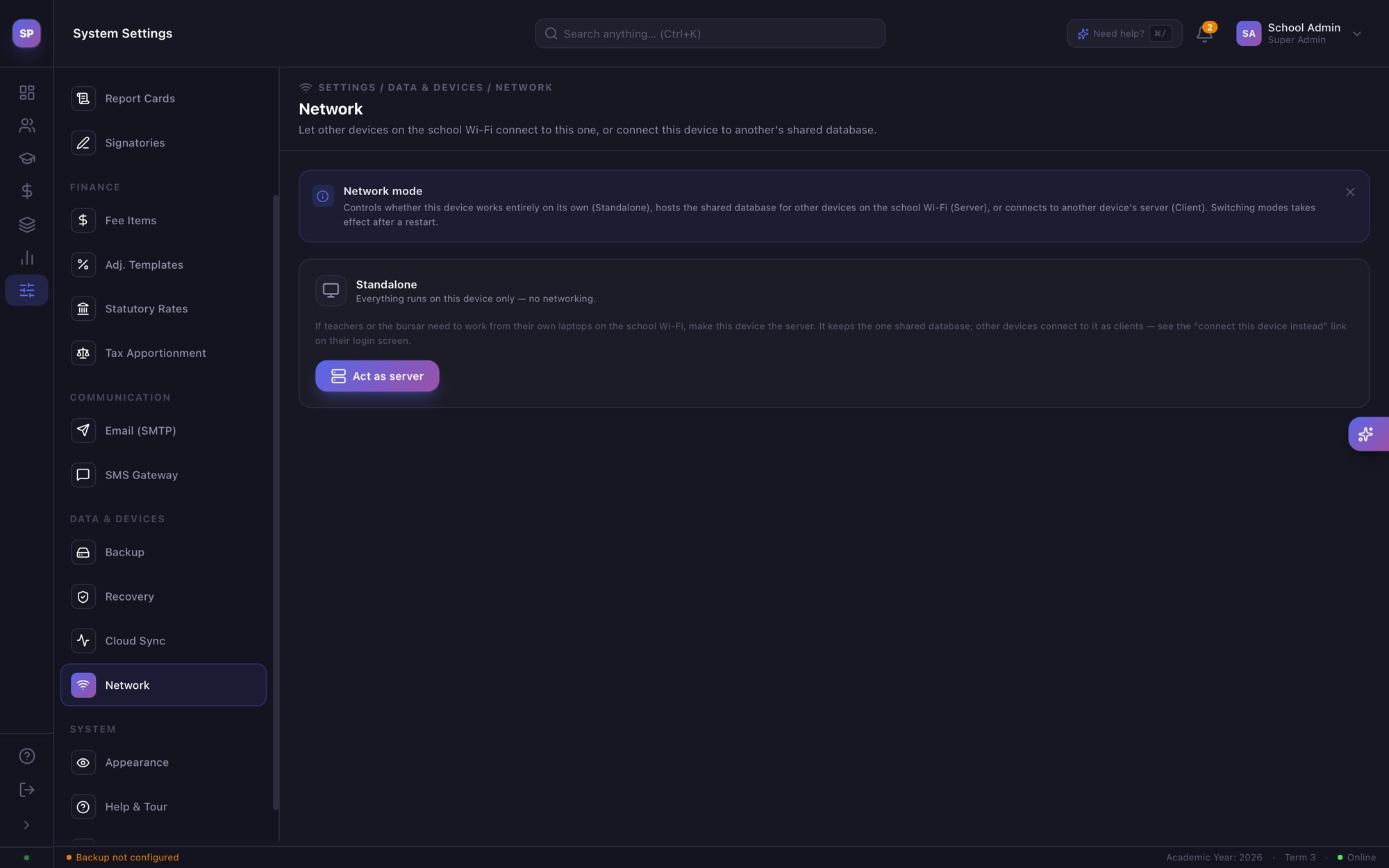
LAN Server Mode turns one computer into the server; every other computer, logged in as whichever role they are, connects to it over the school's own network. No ISP, no monthly data bill, and no single internet outage stops everyone from working at once.
03
Your data stays yours
Your pupil, staff and fee records never leave the building unless you choose to back them up. An encrypted recovery file, with an optional offsite backup, means a crashed laptop doesn't mean losing years of records.
04
It checks in once a month
When a connection is available, SchoolPro connects for a moment — at least once every 30 days — to confirm your license and fetch updates and Uganda's latest tax rates. It sends your license number and a pupil count, never names or records. Out of reach for longer? You get 5 more days and plenty of reminders first.
LAN server
Office PC
Encrypted database
Bursar
Head Teacher
Staffroom
Your school's own network · no internet
Runs on your school's own computers
One office PC holds the records. Everyone else connects to it across the building, whether the internet is up or not.
Daily work needs no internet connection
Every office PC connects over the school's own network
Records stay in the building, in an encrypted database
Encrypted backup file, with an optional offsite copy
Set up in one sitting
A guided wizard walks through school identity, classes, terms, fees, Uganda's statutory rates and a first admin account.
The full setup wizard, sped up — on a made-up demo school. · Play the setup walkthrough (1 min 23 s, 0.8 MB)
Network settings — one click turns this computer into the school's server.